• Add comment

    It may seem counterintuitive, but the focus of your business shouldn’t be on selling a product or service. Doing so prevents you from realizing your fullest potential with your customers. Instead, concentrate on the real goal and work backward from there. What is that goal? It’s the customer experience and making it as positive as it can possibly be.

    I was reflecting on this as a result of the loss of one of our great contemporaries—Steve Jobs. Not only am I in the information technology industry, I’m also one of millions of delighted Apple customers. And so I found myself watching several of the videos of him that were circulating upon the announcement of his death. In one video, he told the story of a device that had been created long ago. The engineers were quite proud of its whiz-bang components and all sorts of new uses. In fact, it was way beyond anything available on the market at the time. 

    The engineers were focusing on the product rather than the customer and their experience. However, Jobs thought it was too complex and would fail to live up to his vision—the customer experience, or rather, an incomparable customer experience. It was that experience that mattered most to Jobs. Nothing more; nothing less. So, they never released the product.

    He made a key distinction:  There is a difference between what the employees imagined that the customer wanted and what the customer actually wanted. Instead of projecting onto the customer what the employees thought the customer might be looking for and working from the inside out, he wanted to understand and meet the customer’s expectations, from the outside in. In other words, he applied the criteria backwards to drive the company forward. And we all know the outcome. 

    Jobs accomplished this by simplifying, not complicating things. You only have to visit an Apple store (here in our community or anywhere in the world) to feel what a delightful customer experience Apple has created. From the simplicity of product design to their streamlined storefronts, Jobs succeeded in focusing on the customer experience. 

    The question we should all be asking ourselves is simple:  Are we creating that type of experience for our customers? 

    If none of your customers have commented about how delighted they are with their experience, you might want to take a lesson from Steve Jobs. I’m not saying you should try to become the next Apple or even try to emulate their business model. What you should do is reverse your thinking…from selling to buying. Whether you’re a restaurant owner, a dry cleaner, a fitness instructor, or a real estate agent, the focus of your business should be to provide the best customer experience possible.

    How do you provide that kind of experience? Again, take a cue from Jobs and shift your focus. Don’t think from the inside-out. Sell like a buyer. It’s all too easy on the selling side of business to lose the buyer’s perspective, but even sellers are buyers, too. And as buyers, we all know what distinguishes an enjoyable and, ideally repeatable, experience. Unfortunately, we also know what it’s like to have an unpleasant customer experience. 

    Remember that your best client is also your competitor’s best prospect. With each positive interaction, you’re increasing the likelihood of their repeating that experience with you. One of the most straightforward and simple ways to accomplish this is by implementing effective relationship management. It’s an attitude first and a strategy second, and it must be adopted by every member of your organization.

    After all, we manage inventory, we manage “the books,” we (attempt to) manage our time, but we don’t often manage our business relationships with the same degree of care and concern. Implement simple, consistent relationship management practices, and you’ll achieve your ultimate goal:  providing an excellent customer experience.

  • Add comment

    I was one of the more than four million people who purchased the new iPhone 4S last weekend. And when the very helpful Apple genius asked if I'd like him to set up my contacts, I glanced back at the line of eager customers and replied that I could do it myself. There was a long line of folks waiting patiently, and I had done this a time or two. I left the store confident and full of good will toward my fellow iPhone users.

    My good intentions soon turned to frustrated grumblings. After creating a new iCloud account and sharing contacts in every direction, I scrolled through the Contacts list on my shiny new iPhone and saw it was populated with all the familiar names I'd collected over the years. I then promptly proceeded to "Erase All Content and Settings" on the borrowed iPhone I'd been using to tide me over after I cracked my screen beyond recognition.

    Moments later, unable to blink, I stared wildly at my screen as I realized several names and numbers missing. In fact, I had lost more than half of my contacts list! 

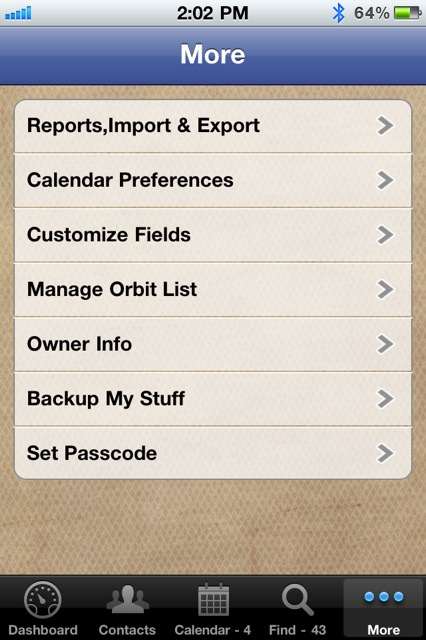
    What ever did I do, you ask? After the initial panic subsided, I took a deep breath and went straight to my VIPorbit app, navigated to the "More" menu, and exported the "Contact Detail" of all my contacts! Whew...crisis averted.

    If your friends are anything like mine, I'm sure you've seen Facebook posts or received emails about getting a new phone and losing all contact data. Well, this had never been an issue for me. If anything, I'd have duplicate entries brought in by my own setting missteps, but never had I lost information. Each time I came across one of these posts, I'd shake my head and message my number to them. (I may or may not have felt a little patronizing in the process. I'll never tell.)

    While my iPhone 4S upgrade mishap has me feeling much more sympathetic toward all those in similar situations, I remain slightly confident that what I lacked in syncing savvy I made up for with the VIPorbit export features!

    Whether you're in a contact-centric or transactional business and depend on your contact data for your livelihood or just depend on your contacts to stay in touch with friends and family, VIPorbit keeps all your contact data safe and sound. For me, there are some features on the "More" menu that I rarely use, but I can attest that "Exporting Contact Details" came to my rescue and cleaned up the mess I made of my own Contact list.

    With more than four million iPhone 4S purchases made, my upgrade mishap can't be the only one. And while I may not be an Apple genius, I am smart enough to secure my contact information in an app like VIPorbit!

    How about you?


    By the way, the Mashable Awards nominations are still open. Will you help VIPorbit secure its contention? Click here.

  • Add comment

    We love community-driven awards because they give you, the user, an opportunity to voice your support! Well, VIPorbit users, here's your chance....

    The 2011 Mashable Award nomination period has begun, and we need your help! VIPorbit is up for the “Most Useful Mobile App” category, but we don’t stand a chance without you!


    You can help by clicking the “Nominate Us” badge above and following these simple steps:

    1. Sign into Mashable with Twitter or Facebook (or create a Mashable account using either one).
    2. Check to share your nomination via Twitter and/or Facebook.
    3. Click the "Nominate" button.

    We're already convinced that VIPorbit is the Most Useful Mobile App with the most awesome users around!

    Thanks for your help in spreading the word and letting the world know just how useful VIPorbit really is.


  • Add comment

    PCWorld columnist Tony Bradley's article "Lost Smartphone Could Cost You $37,000" cites a McAfee study that values the average consumer's digital assets at $37,438. From bank and investment data to family photos, we carry some pretty valuable data with us everywhere we go. Some of it we safeguard with security measures, some with data backups. Have you ever considered how much your contact data is worth to you? 

    For those in relationship-centric professions, customers' and suppliers' contact information can be invaluable...especially that information you choose not to share with others.

    Sure, your basic contact information can be replaced in the event that your iPhone is lost or stolen. You can sync to your last iTunes backup and retreive names, numbers, email addresses, and even your iCal calendar events. But if you're using VIPorbit or another contact manager on your iPhone, and it's lost or stolen, you'll lose much, much more than the basic information captured in an address book.

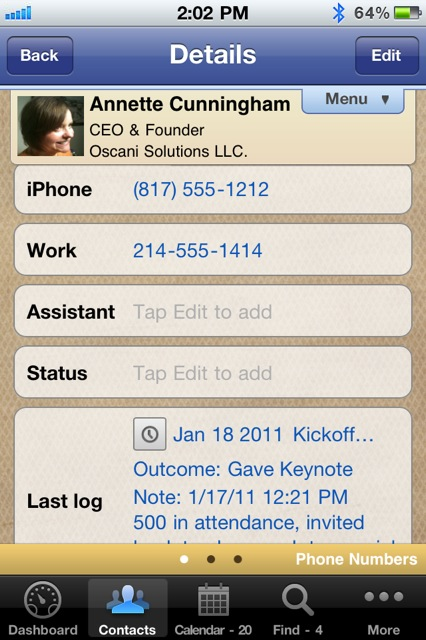
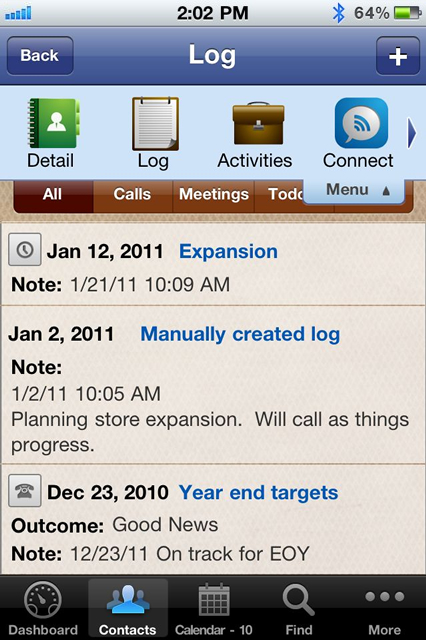
    VIPorbit automatically creates a log of every interaction you have with each contact (meetings, phone calls, text messages, Facebook messages, and much, much more); therefore each contact record becomes a virtual timeline or account history of your entire relationship. The basic contact data pulls from your last sync on iTunes, but what about the rest of it?

    • That contact who asked you to call back after the start of the new fiscal year? 
    • That referral given to you by one of your most loyal customers? 
    • That note from the meeting in which you documented the delivery preferences of each attendee?

    What are each of those worth?

    Certainly much more than the cost of VIPorbit's "Backup My Stuff" feature. For the low cost of $4.99, you can backup your VIPorbit data as often as you choose. And select any of the last 10 backups from which to restore your entire database, including scheduled appointments, notes, and reminders.

    Lose your iPhone? No problem! After you sync your new phone to your iTunes account, simply open your VIPorbit app, enter your registration information and restore from your last backup.

    Crisis averted! You can make those scheduled calls, appointments, and to-do's! Follow up on those hot leads. All without the headache and heartache of rebuilding and restoring from your memory alone!

    Perhaps McAfee should have considered the value of the business assets kept safe and private within VIPorbit!

  • Add comment

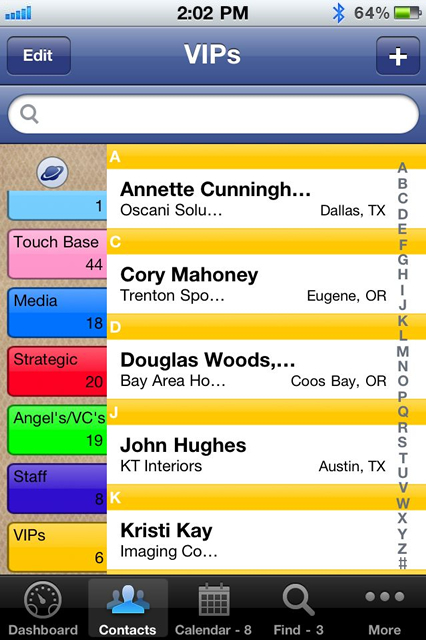
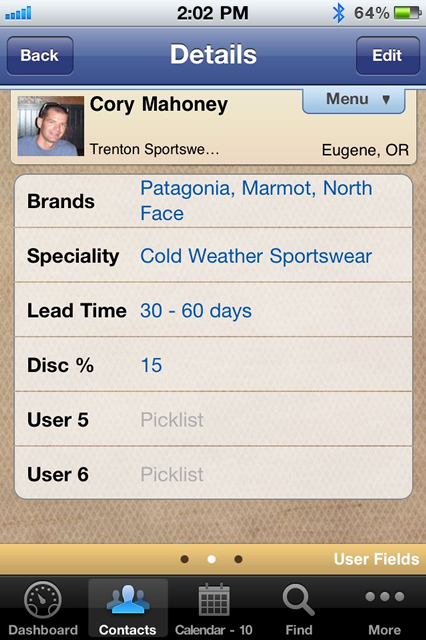
    VIPorbit works the way you do. In fact, it's only limited by your creativity in customizing it for your specific needs. One of the first places to begin customizing VIPorbit (or any contact manager, for that matter), is by using Orbits (or groups) to organize your contacts in meaningful ways.

    Try implementing one or all of these creative ways to use Orbits:

    Create Multiple "Favorites" Orbits

    If you're like most people, you're using "Favs" to include those you most often contact or those with whom you are closest. Why stop there? Create other favorite lists, such as "Favorite Restaurants," "Favorite Bloggers," "Favorite Party Venues," or "Favorite Caterers." The next time you attend a function and get the business card for the vendor the hosts used, you can add them to this Orbit. Then before your next event, just review the Favorites list for that supplier! Or when you're asked for a restaurant recommendation, you've got the information in just a few taps!

    Create Travel Destination Orbits

    Whether you travel routinely or occasionally, an Orbit that includes the people and places in your destination can help you cover all your bases. Say you're planning a trip to San Diego, do a search for all the contacts you have in that area. Then select the ones you'd like to connect with during your travel and create a "San Diego Travel" Orbit. You might want to reach out to them beforehand to schedule a get-together or ask for recommendations of things to do or see while you're in their city. Do you have business contacts you've only connected with by phone or email? Schedule a face-to-face while you're in town. 

    Create an "SRTL" Orbit

    We all have contacts with whom we know we should connect. You come across them when you're scrolling for a different purpose but forget about them when you actually have the time to reach out. Create a "SRTL" (Sooner Rather than Later) Orbit and follow through on your good intentions. Systematically add contacts with whom you want to connect sooner rather than later or add them as you come across their record. Say, you're looking for Joe Smith and you see John Smythe's record, that colleague you've been meaning to email, take 30 seconds to add him to your "SRTL" Orbit. Then carve out 15 minutes a day to reach out to the people in your "SRTL" Orbit. Once you've reached out to a contact, you can remove them from this Orbit...who knows, maybe you can even move them into a "Pending Sales" Orbit?


    With VIPorbit, you're not limited to a set number of Orbits, so let your creative juices flow! Customize by coloring, naming, and ordering your Orbits in the way that makes the most sense to you. 


    Sounds, Mights, and Choppers

    One of our users shared his creative Orbit names. As a business consultant, he organizes clients in the following Orbits:  "Sounds" for those who are sound-minded and "get" what he's doing; the "Mights" for those who might come on-board; and the "Choppers" for those whom his concepts are "over their heads," so to speak.

    We'd love to hear your most creative Orbit names and uses! Comment on this post or share them with us on Twitter (be sure to mention @VIPorbit) or write on our Facebook wall.

  • VIPorbit Do u know the "3 Secrets of Happy Employees"? Read @gwenmoran's latest Entrepreneur post to find out: t.co/NLfL5qFo #dowhatyoulove
    11 hours 10 min ago.

News & Special Offers